
Help
Frequently asked questions.
Start with the Google Docs export answer if something is failing. The rest covers the common SlapNote questions in a simpler format.
Why is Google Docs export not working?
The most common cause is Google login for extensions being disabled in a Chromium-based browser.
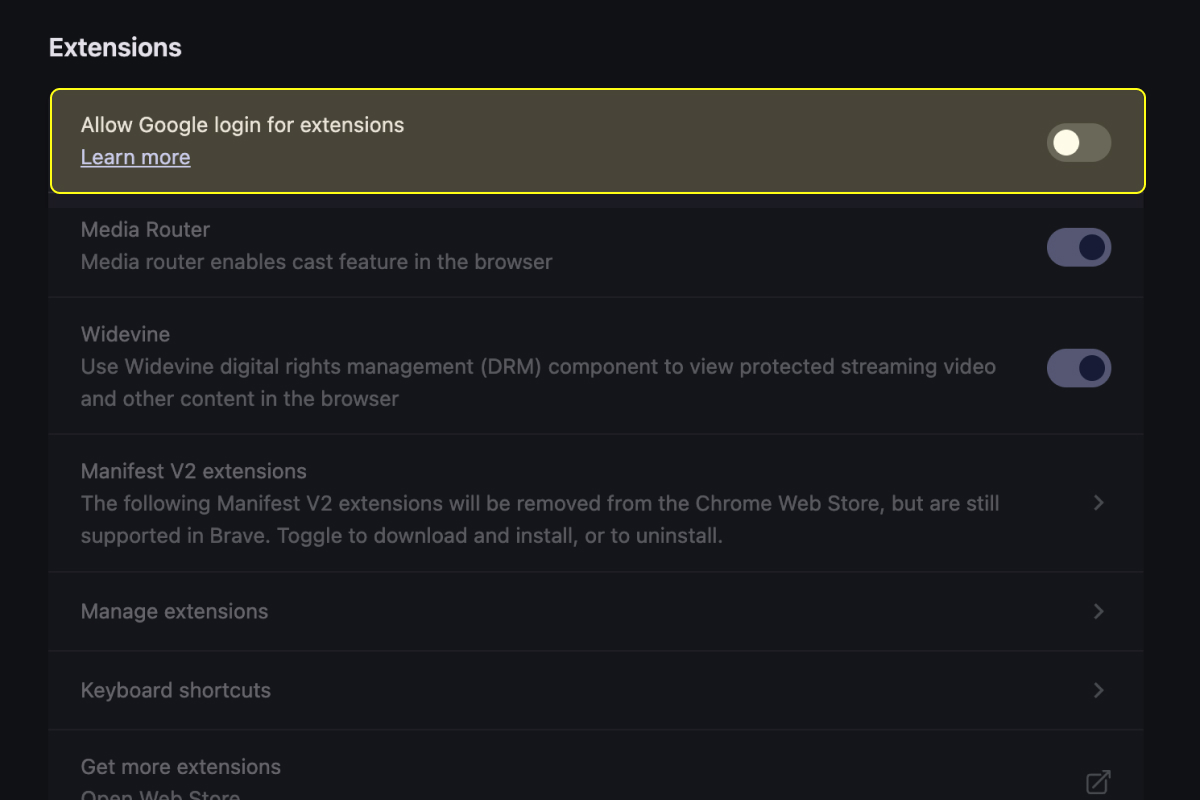
Enable Google login for extensions.
- Copy
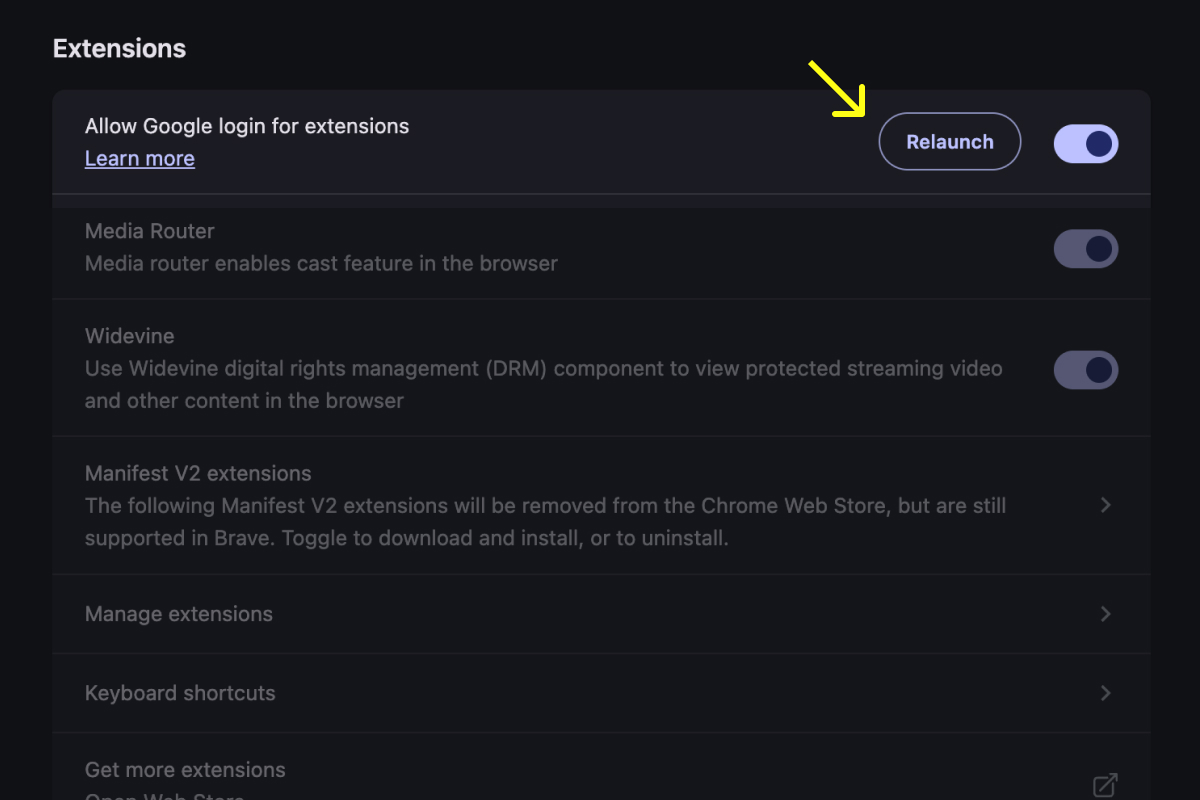
chrome://settings/extensionsand paste it into your address bar. - Turn on Allow Google login for extensions.
- Relaunch the browser.
- Try exporting again from SlapNote.
If it still fails
If the issue persists after relaunching, contact [email protected] with the browser name, version, and the step where export fails.
Is this an AI tool?
SlapNote uses no AI. It is a focused utility for organizing your research process.
Will it slow down my browser?
No. SlapNote is lightweight and only active when you capture or open it.
Why not just use bookmarks?
Bookmarks save the pages. With SlapNote, save the specific evidence you need from that page.
Where are my notes stored?
Your notes are stored inside the browser extension locally by default. If you activate Pro sync features, synced data can also be available across devices tied to your account.